Run an experiment
Record one attempt at a card's technical problem, from what you expect to what happened.
2 min read · Updated Nov 6, 2026
On this page
Start experiment is not Start timer
Start timer only records time on a card. Start experiment marks one attempt at the card's problem: what you're trying, what you expect, and later how it went. Starting an experiment also starts your timer on the card, so you don't need both.
Before you start
Experiments work on cards of an SR&ED project that aren't switched to Not SR&ED, and only for people on the project. You can have one open experiment at a time.
Start one
Click Start experiment
On the card page, click Start experiment under the timer. On the board, click the purple flask on the card (it doesn't show in Done).
Answer the three questions
Write these before you know the result. What are you trying? is one line, for example "Snap to the road graph". What do you expect? is filled in from the card's hypothesis: change it for this attempt. What's different from last time? starts with your last experiment on the card, or "First attempt".
Click Start experiment
The experiment opens and your timer starts on the card.
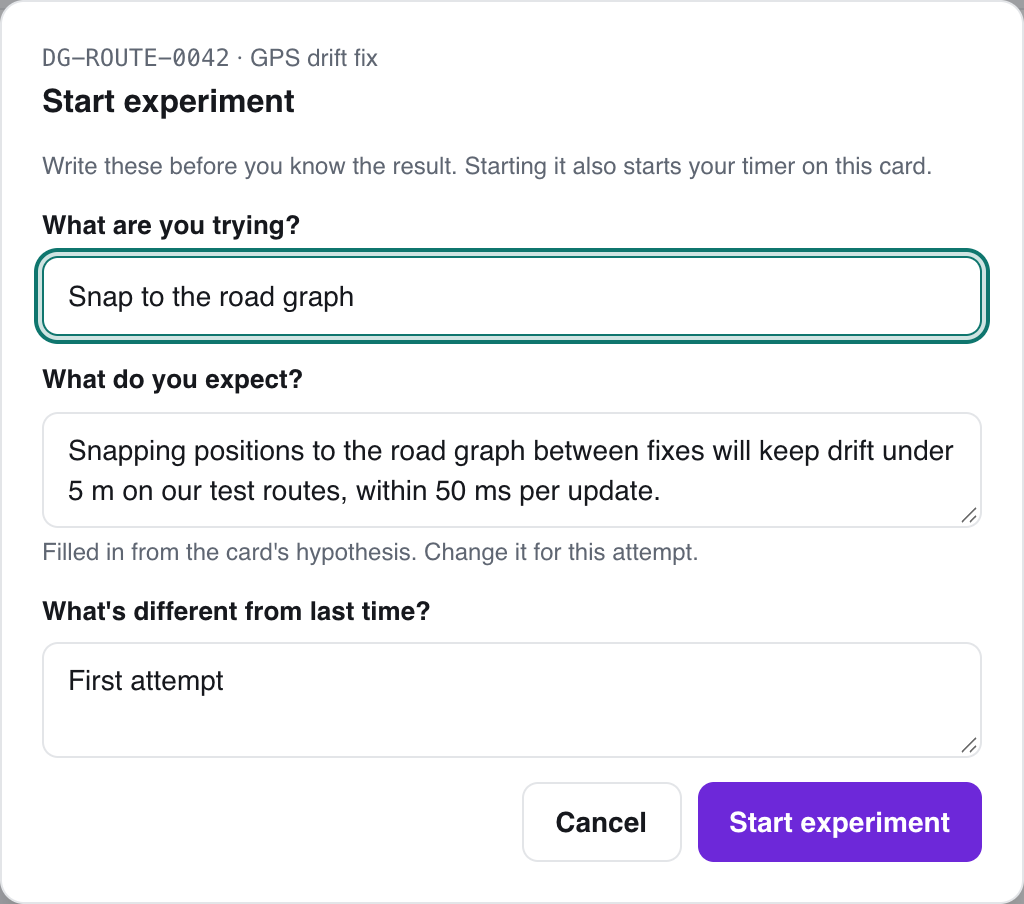
If you already have one open, Boardway asks you to End it first.
Where an open experiment shows
- Card page: a purple "Experiment open" box above the timer, and the button changes to End experiment.
- Board: a purple chip on the card, "Experiment: Snap to the road graph". On your own one it has End.
- Timer bar: a purple chip with the title on every page. Click it to go to the card.
- Your day: after 3 days open it asks you to End it or Keep it running. Keep it running asks again in 3 days. An experiment never ends by itself, and stopping the timer doesn't end it.
End it
Click End experiment on the card page, or End on the board chip, then answer:
| Question | What to write |
|---|---|
| How did it go? | Worked, Didn't work, Partly or Can't tell yet. |
| What happened? | What you saw, for example "drift 7 m in tunnels, 3 m elsewhere". Required. |
| What did you learn, or what's next? | Optional. |
| Who else ran it? | Tick who helped, from people who put time on the card while it was open. |
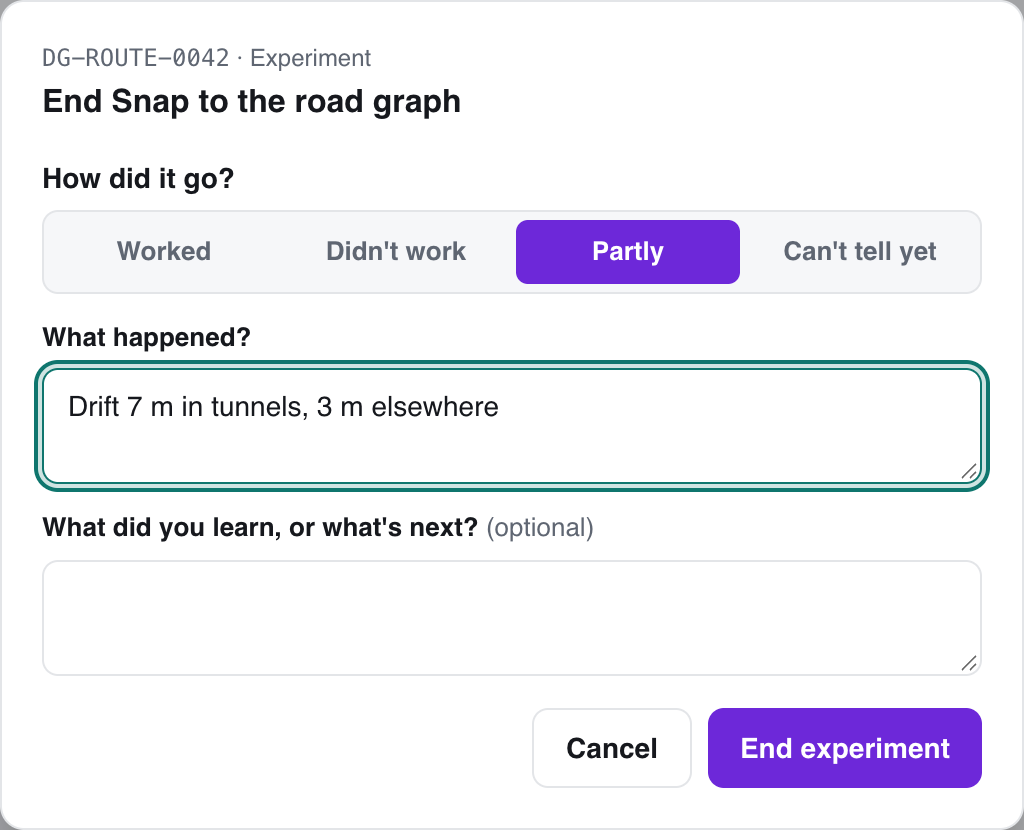
Ending doesn't stop your timer. The experiment is dated the day it ends.
After it ends
The card page lists every experiment under Experiments and SR&ED notes, with where it stands in Sredify. You can Edit or Remove your own. Once the day is approved, you give a one-line reason, and a locked day needs an Admin to unlock it first. Your day lists the day's experiments too.
On a card switched to SR&ED, in a project linked to Sredify, each ended experiment goes to Sredify as a trial when you approve its day. If the card has no uncertainty, it goes to Trials to file.