Add SR&ED notes
Write one-line Obstacle, Tried and Learned notes on a card, and see which ones go to Sredify.
2 min read · Updated Nov 6, 2026
On this page
What a note is
An SR&ED note is one line about the work on a card, of one of three kinds:
| Kind | Use it for |
|---|---|
| Obstacle | What's in the way, for example "GPS jumps 40 m in the tunnel". |
| Tried | Something you tried. |
| Learned | Something you found out. |
Notes are smaller than an experiment: no questions up front, no outcome, no timer.
Add a note
Before you start
The SR&ED note button shows on cards of an SR&ED project that aren't switched to Not SR&ED, for people on the project.
Open the card
Scroll to Experiments and SR&ED notes on the card page.
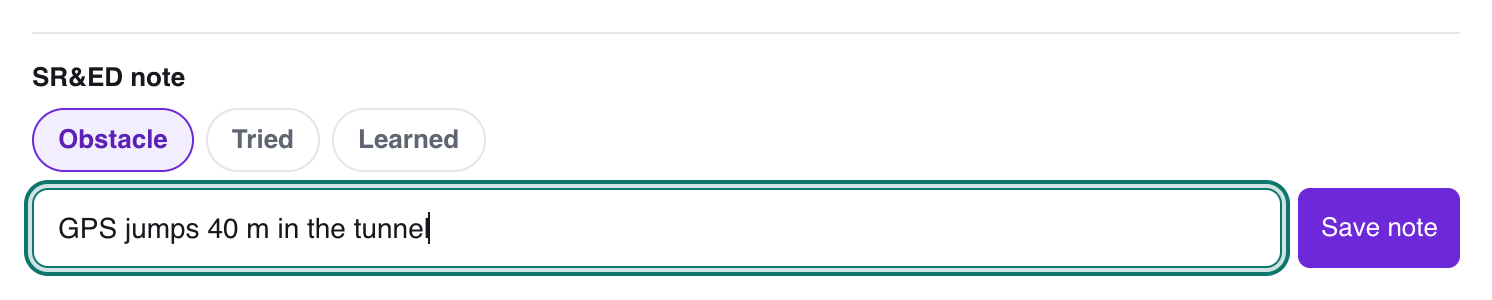
Pick a kind
Under SR&ED note, click Obstacle, Tried or Learned.
Write one line and click Save note
Up to 300 characters. The note is dated today.
Notes from Stuck and Done
On an SR&ED project, moving a card to a column that asks a question also makes a note from your answer:
- Stuck asks "What's not working?" and saves your answer as an Obstacle note.
- Done asks "What did we learn?" and saves your answer as a Learned note. If you skip the answer, there's no note.
The note belongs to the person who moved the card, dated that day.
Notes from the extensions
- In your editor, right-click a line for Boardway: SR&ED note here. See SR&ED notes from the editor.
- In your browser, Didn't find it here saves an Obstacle note with the page. See Didn't find it here.
Where notes show
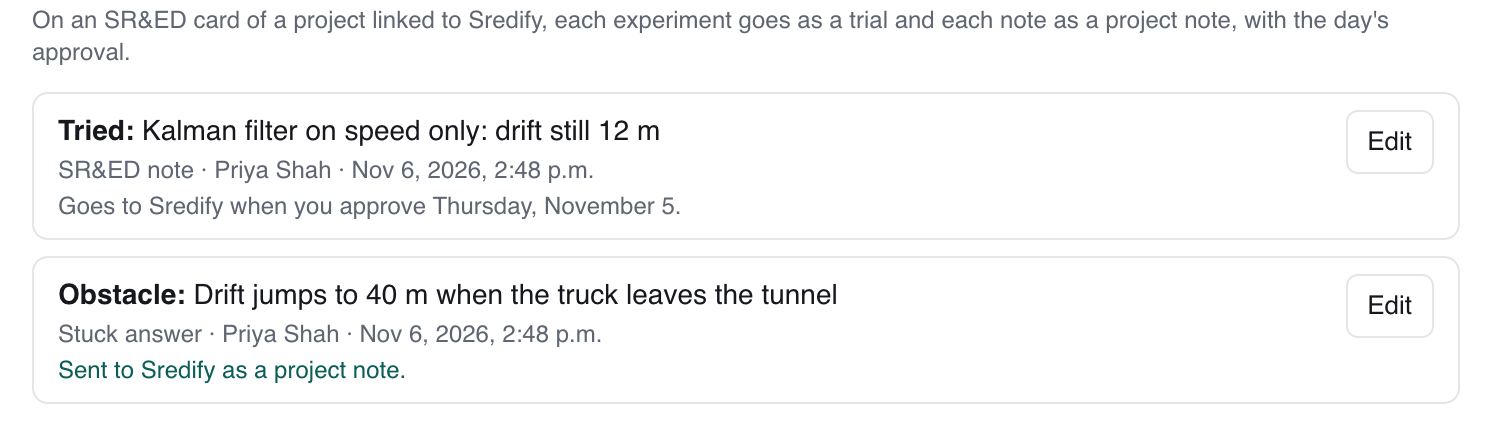
- Card page: every note on the card, newest first, with its kind, where it came from (SR&ED note, Stuck answer or Done answer), who wrote it, when, and where it stands in Sredify.
- Your day: the day's notes and experiments under Experiments and SR&ED notes on this day.
You can Edit or Remove your own notes. Once the day is approved you give a one-line reason, and a locked day needs an Admin to unlock it first. A removed note is kept in the history.
Which notes go to Sredify
A note goes to Sredify as a project note only when all of these are true:
- The card is switched to SR&ED (Not sure and unpicked cards don't send).
- The project is linked to Sredify.
- The note's author has approved that day.
Until then the card page says why it's kept in Boardway, for example "It goes when the card is switched to SR&ED." If the card is switched away from SR&ED later, its notes are taken back out of Sredify.