Switch a card to SR&ED
Mark each card on an SR&ED project as SR&ED, Not SR&ED or Not sure, so only real R&D time counts.
2 min read · Updated Nov 6, 2026
On this page
SR&ED projects and normal projects
A project is either an SR&ED project or a normal one. You pick this with the SR&ED project box when you make the project, and a Lead or Admin can change it later in the project's Settings tab. Linking a project to Sredify turns it on by itself.
On a normal project, cards have no SR&ED switch and none of their time counts as SR&ED. On an SR&ED project, every card gets a three-way switch, and Done asks what you learned.
Mark a card
Open the card
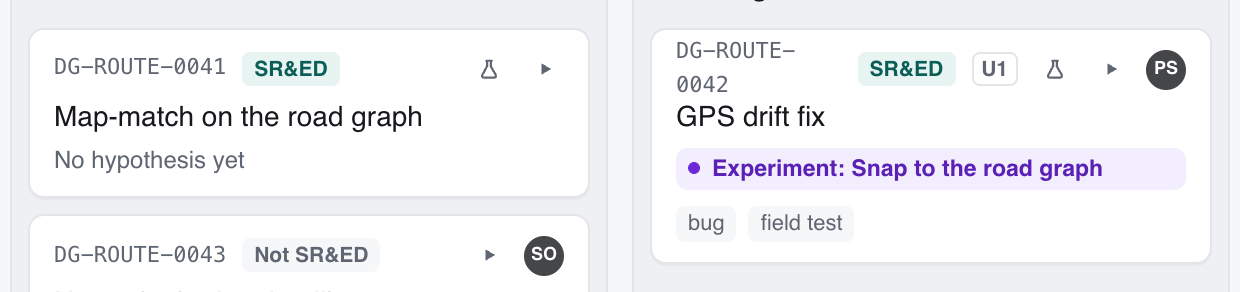
Click the card on the board, for example DG-ROUTE-0042 "GPS drift fix" on ROUTE.
Pick one under SR&ED
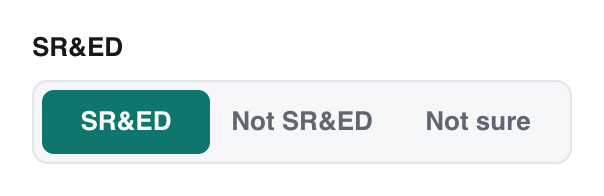
In the side panel, pick SR&ED, Not SR&ED or Not sure. Click the one already picked to clear it again.
| Mark | What it means |
|---|---|
| SR&ED | This card is R&D work. Its time counts for R&D % and can go to Sredify. |
| Not SR&ED | Routine work. Its time counts as worked, never as SR&ED. |
| Not sure | You can't tell. It flags the Lead, who decides. |
| Not picked | Nobody has decided yet. |
Leads and Admins see a banner at the top of the board, such as "2 cards are Not sure about SR&ED", with a link to each card.
What counts
Only cards switched to SR&ED count:
- R&D % on Your day is SR&ED time out of all worked time, on approved days only. Time on Not sure and unpicked cards shows as "To decide" until the card is switched to SR&ED.
- Sredify only gets hours, experiments and SR&ED notes from cards switched to SR&ED, on a project linked to Sredify, with the day's approval. Anything else is kept in Boardway, and goes later if the card is switched to SR&ED.
Switching a card away from SR&ED later takes its trials and notes back out of Sredify.
Uncertainty (U1, U2...)
On a project linked to Sredify, the side panel also has Uncertainty. It lists the Sredify project's workstreams as U1, U2 and so on, in Sredify's order, for example "U1 Drift under 5 m". Pick one so the card's experiments are filed under it in Sredify. None (Trials to file) sends them to Trials to file instead.
The board shows the code (for example U1) on each card, and the Uncertainty: any filter shows only the cards under one uncertainty, or under None.
The "No hypothesis yet" nudge
On an SR&ED project, a card marked SR&ED or Not sure with no hypothesis written shows No hypothesis yet on the board while it's in To do or Doing. It's only a reminder: write one in the card's SR&ED fit panel and it goes away.