Devices
See and remove the devices connected to Boardway, and the sites that count as research for you.
1 min read · Updated Nov 17, 2026
A device is a computer connected through a Boardway extension: the editor extension (VS Code, Cursor, Windsurf, VSCodium) or the browser extension (Chrome, Edge). Everyone sees Settings, Devices; Admins also see everyone else's.
To connect one, see Connect your editor or Connect your browser.
Settings, Devices also has your personal API tokens for your own scripts and tools, and for Admins everyone's tokens and the switch that turns them off. See API tokens.
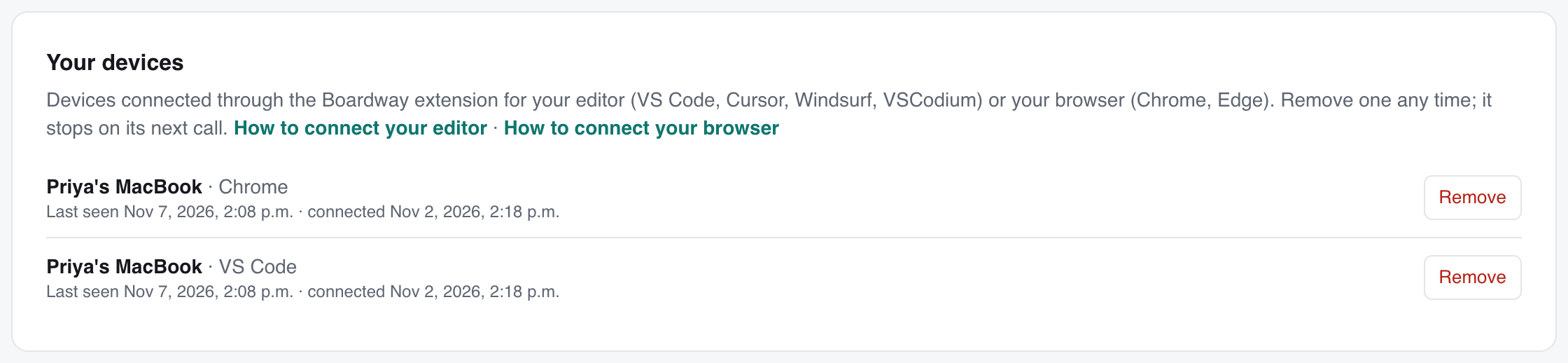
Your devices
Each row shows the device name, the editor or browser, when it was last seen and when it was connected. Click Remove and confirm to disconnect it. It stops on its next call; connect it again to use it.
Sites that count for you
Sites you picked Always count this site for in the browser, on top of the research sites everyone has. Click Stop counting to take one off. If your company has its own research sites, they're listed underneath. Mail, banking, social and shopping sites never count.
Everyone's devices
Admins only
Only Admins see this list.
Admins can remove anyone's device, for example a lost laptop. Click Remove on its row and confirm. It stops on its next call, and the removal is logged in History with the device name and whose it was.
Connecting a device is logged in History too.