Settings
What each Settings tab does, who sees it, and the time settings an Admin can change.
3 min read · Updated Nov 6, 2026
Open Settings from the header. The tabs you see depend on your role.
Tabs and who sees them
| Tab | Admin | Member | Guest |
|---|---|---|---|
| Company | Sees and edits | Sees | Sees |
| Time | Sees and edits | No | No |
| People | Sees and manages | Sees the list | No |
| Sredify | Yes | No | No |
| Devices | Own and everyone's | Own | Own |
| History | Yes | No | No |
Company
Company name, Company key, Time zone and Week starts on (Monday, Sunday or Saturday). The key starts every card number, like DG-ROUTE-0042, and locks once your first card exists. Only Admins can change these.
Time
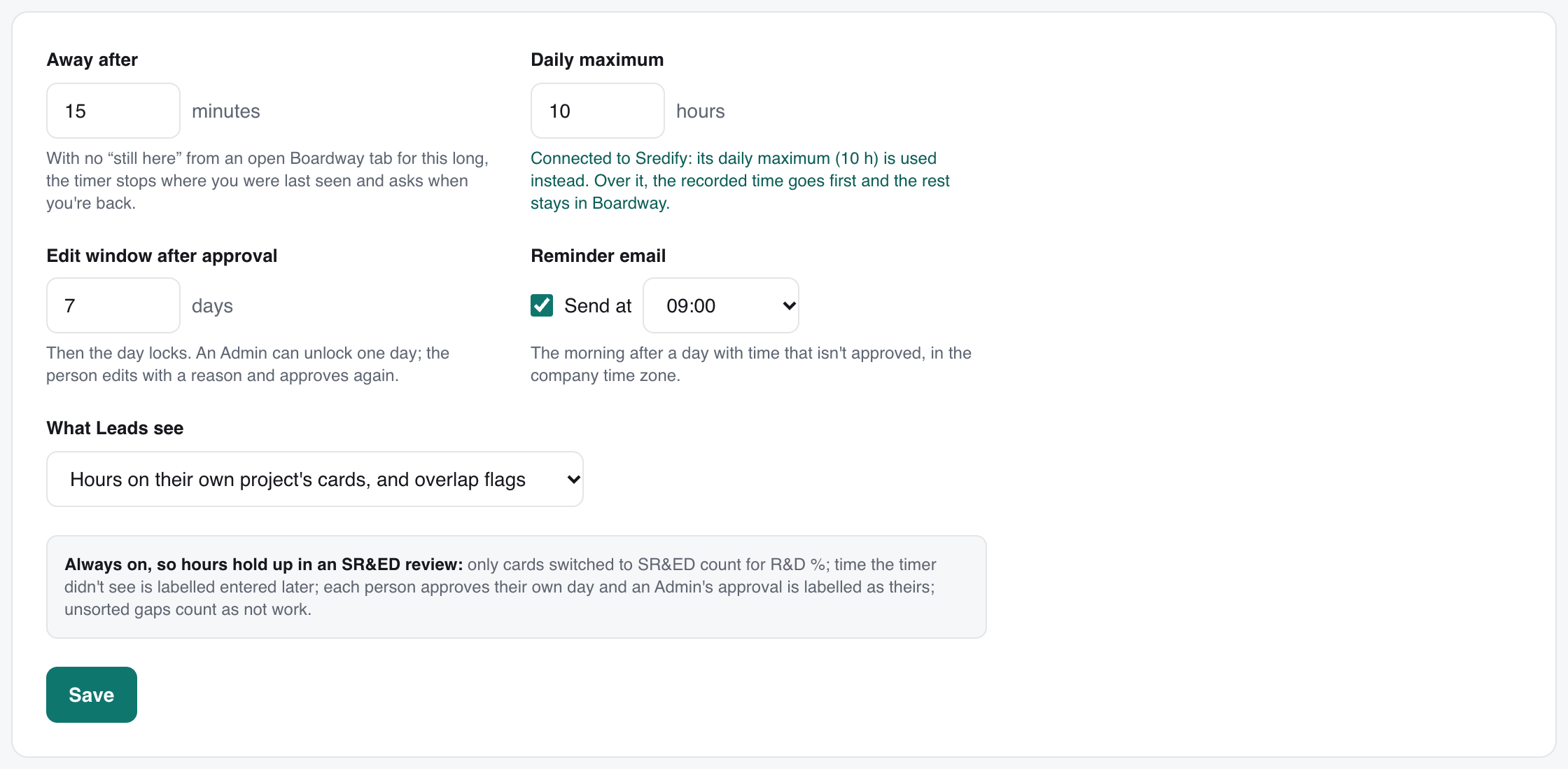
Admins set how the company works. Each change is logged in History.
| Setting | Default | Range | What it does |
|---|---|---|---|
| Away after | 15 minutes | 5 to 60 | With no "still here" from an open Boardway tab or a connected extension for this long, the timer stops where you were last seen and asks when you're back. |
| Daily maximum | 10 hours | 1 to 24, in half hours | A warning on Your day, never a block. Once Sredify is connected, its number is used instead. |
| Edit window after approval | 7 days | 1 to 30 | Then the day locks. An Admin can unlock one day; the person edits with a reason and approves again. |
| Reminder email | On, 09:00 | Any hour | Sent the morning after a day with time that isn't approved, in the company time zone. |
| What Leads see | Hours on their own project's cards, and overlap flags | Or nothing | Pick "Nothing" and only Admins see people's hours. |
Always on
Some rules aren't settings, so hours hold up in an SR&ED review: only cards switched to SR&ED count for R&D %, time the timer didn't see is labelled entered later, each person approves their own day and an Admin's approval is labelled as theirs, and unsorted gaps count as not work.
Editor
What the Boardway editor extension counts as a test or a benchmark run during an experiment, on top of the usual ones (npm test, pytest, go test and so on). Fill in Also counts as tests and Also counts as benchmarks, separated by commas, then click Save editor words. Words are matched on your device; only "benchmark: passed / failed" reaches Boardway, never the command.
Browser
Which sites the Boardway browser extension counts as research. Everyone gets the built-in list (Show the built-in list to see it). Add your company's own under Your company's research sites, one per line (for example docs.example.com or example.com/research), then click Save research sites. A site counts on every page of it and its subdomains; add a path to count only part of it. Mail, banking, social, shopping and sign-in pages never count, whatever is listed.
Under Sites people count for themselves, click Add for everyone to put a person's site on the company list.
People, Sredify and Devices
- People: invite people, change roles and turn people off.
- Sredify: see Connect Sredify.
- Devices: see Devices.
History
Every change to the company, its people and its projects, newest first: renames and key changes, invites, role changes, people turned off or on, project changes, day approvals and unlocks, time settings, editor words, research sites, devices connected and removed, and every Sredify connect, link, unlink and backfill answer. Each line says who did it and when, with the old value where there was one. Card changes are on each card.