API tokens
Make a personal API token for your own script or tool, pick what it can do and when it expires, and remove it.
3 min read · Updated Nov 17, 2026
On this page
An API token lets your own script or tool use Boardway as you: a CI job that adds a Tried note when a test fails, a menu bar app that starts and stops your timer. Admins and Members can make them. Guests can't.
A token only ever acts as the person who made it, only with what they ticked, and only on projects they're on. If Sam isn't on PAY, his token can't see or change PAY's cards either.
Make a token
Open Settings, Devices
Find Your API tokens and click Make a token.
Name it and tick what it can do
The name shows on everything it adds, like via API token: CI notes. Tick only what the script needs (see the list below).
Pick when it expires
30 days, 90 days (the default), 1 year, Pick a date (up to 1 year out) or Never expires.
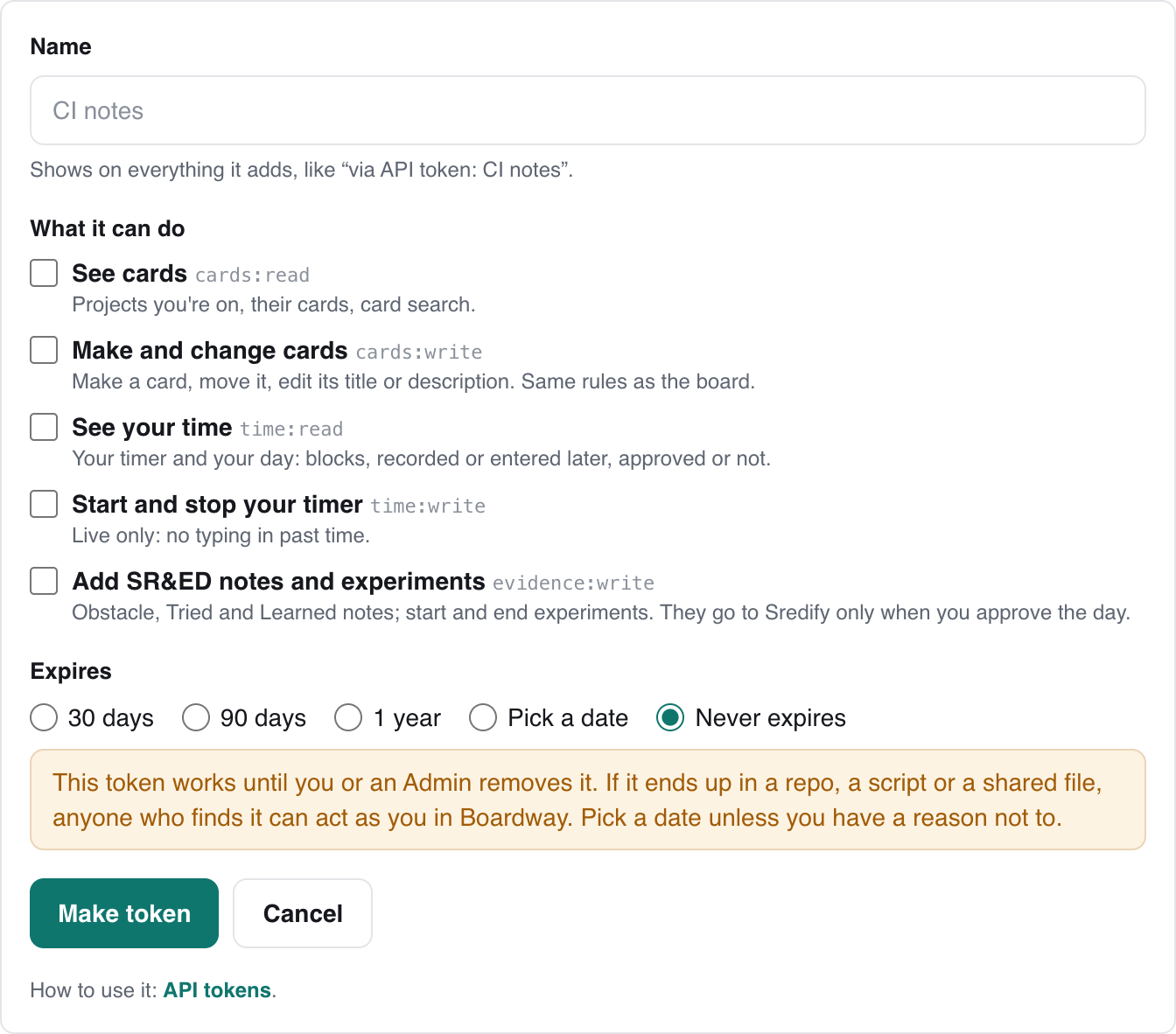
Click Make token and copy it
The token is shown once. Copy it into your CI's secrets or your tool's settings, then click Done. Boardway only keeps a fingerprint of it, so nobody can show it to you again.

Never expires
A token that never expires works until you or an Admin removes it. If it ends up in a repo, a script or a shared file, anyone who finds it can act as you. Boardway shows this warning when you pick it, and the token's row says Never expires in amber. Pick a date unless you have a reason not to.
What a token can do
- See cards (
cards:read): projects you're on, their cards, card search. - Make and change cards (
cards:write): make a card, move it, edit its title or description. Same rules as the board: moving an SR&ED card to Done still asks What did we learn? - See your time (
time:read): your timer and your day. - Start and stop your timer (
time:write): live only. There's no way to type in past time with a token, and it can't keep your timer going past the away check. - Add SR&ED notes and experiments (
evidence:write): Obstacle, Tried and Learned notes; start and end experiments.
A token never approves a day, never acts for someone else, and can't change people, roles, projects or settings.
What it adds, and Sredify
Everything a token adds is labelled. The card's history says, for example, moved it from To do to Done via API token: CI notes, and Your day shows via API token: CI notes next to its notes and experiments and Recorded (API token: Menu bar timer) on its timer blocks.
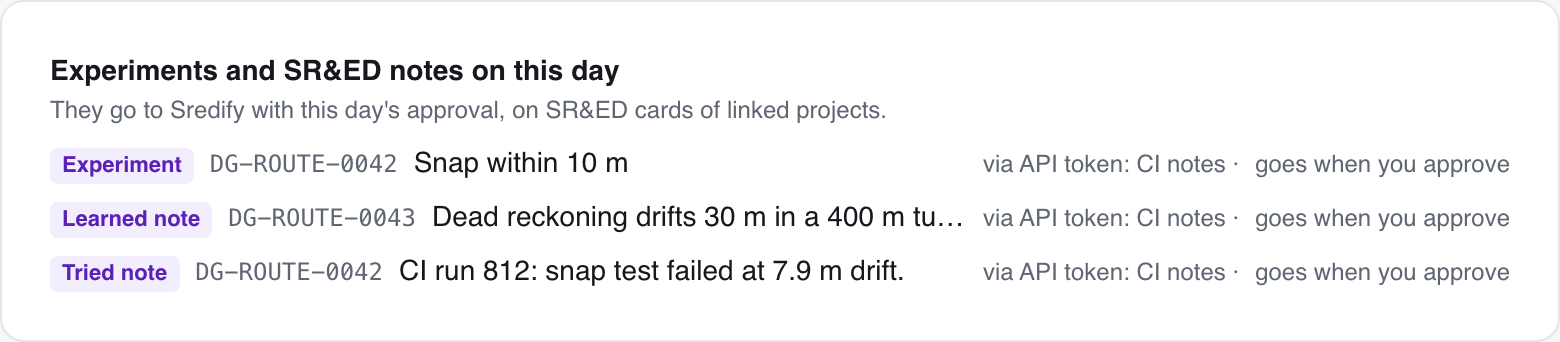
Nothing goes to Sredify by itself. Notes, experiments and time from a token go with your day's approval, the same as everything else, so you see them in Your day before they're sent.
Expiry and removing a token
- In the last 7 days the row says Expires in N days in amber. After that the token stops and the API says This token expired on and the date. Make a new one and swap it in; the old one keeps working until its own date.
- Remove stops a token on its next call. You can remove your own; Admins can remove anyone's.
For Admins
Everyone's API tokens in Settings, Devices lists every token in the company with its owner, what it can do, its expiry and when it was last used.
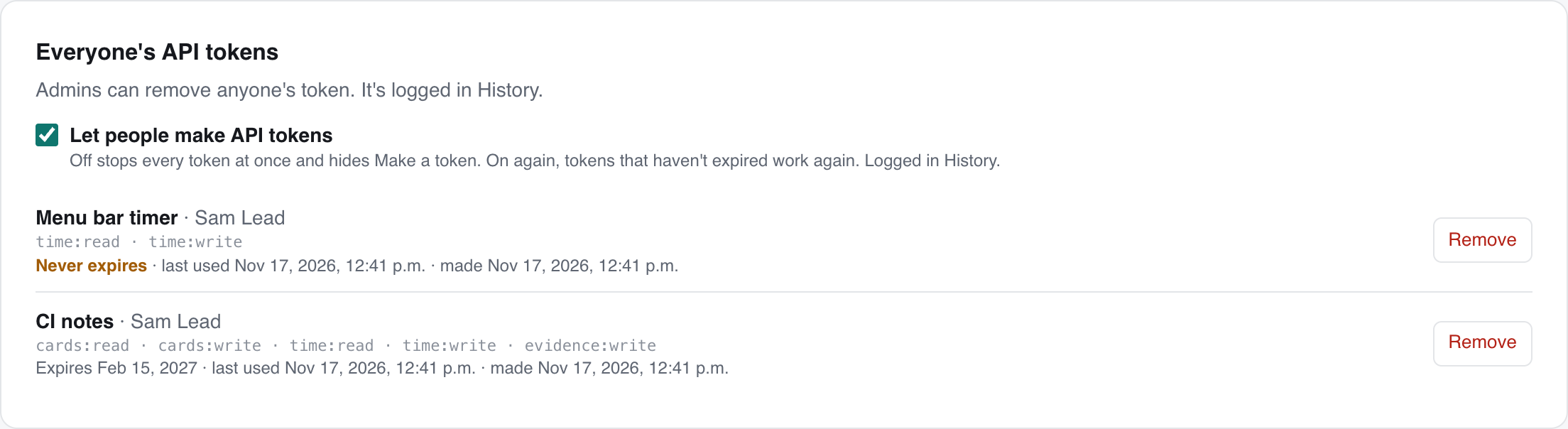
Untick Let people make API tokens to turn tokens off for the whole company: every token stops at once and Make a token is hidden. Tick it again and tokens that haven't expired work again. Both are logged in History, and so is every token made or removed.
A token also stops when its person is turned off or made a Guest.
Next: Use the API.