What is Boardway
A quick look at what Boardway does, where things live, and who it's for.
2 min read · Updated Nov 6, 2026
On this page
Boardway is your team's task board and time tracker. It has three parts that work together:
- A task board. Each project has cards in four columns: To do, Doing, Stuck and Done.
- A timer that follows the card. Move your card into Doing and your timer starts on it. Move it out of Doing and the timer stops.
- A day you approve. At the end of the day you check your time in Your day and click Approve my day.
Boardway works on its own. If your company claims SR&ED, an Admin can also connect it to Sredify. Then the hours you approve on SR&ED cards go to Sredify for you. Nothing goes to Sredify until you approve your day.
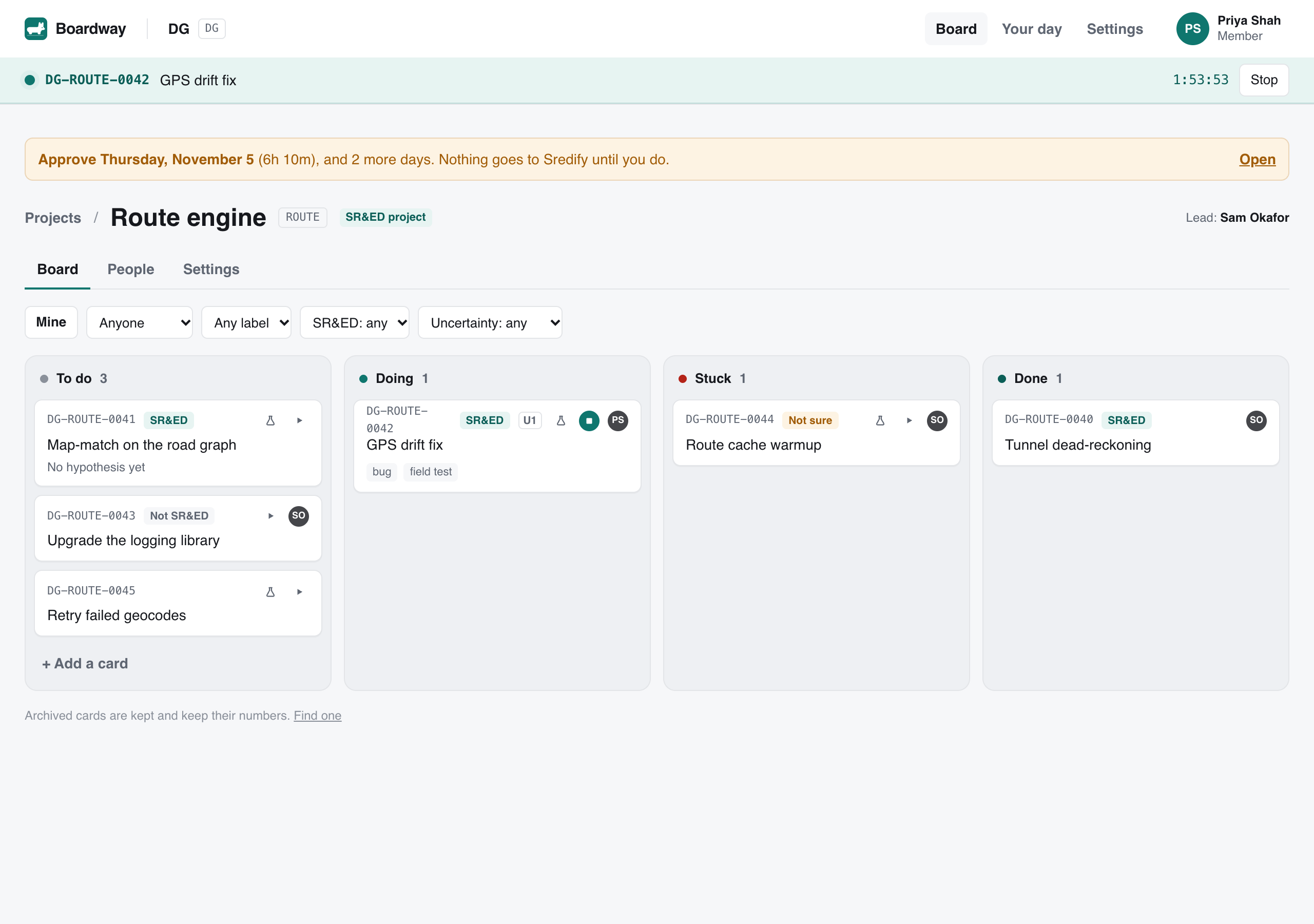
The main places
The header has three tabs. You can reach them from any page.
| Tab | What you do there |
|---|---|
| Board | See your projects, open a project's board, add and move cards, search for a card. |
| Your day | See where your time went today, fix it, and approve the day. On a phone this tab says Day. |
| Settings | Company details, people, devices, and (for Admins) time rules, Sredify and history. |
Who it's for
Boardway is for everyone in the company, not only the people doing research. Anyone can log time on the cards they work on.
- Admins set up the company, invite people and see every project.
- Members make projects, work cards, run the timer and approve their own day.
- Guests are outside contractors. They only see the projects they're added to.
Each project also has a Lead who says yes or no when someone asks to join. See Roles and what they can do.
Where to go next
- Create your company: sign in and set up your company name and key.
- Invite people: bring your team in and pick their roles.
- Projects and cards: make your first project and add cards.